Generate the Library Statistics report
View a snapshot of library statistics, including data on circulations, holds, unpaid fines, materials, and patrons. You can see a summary of current statistics; for a specific number of years, months, days, or hours; or for a specified date range.
To generate the report:
- Do one of the following:
Note: Access to the report from Circulation requires the access level permission, View library information. Access from Reports requires the access level permission, Generate library collection reports.
- Select Reports > Library Reports. Under Statistics, click Library Statistics.
- Select Circulation > Library Information > Statistics tab.
At the top of the page, you can view a snapshot of library statistics.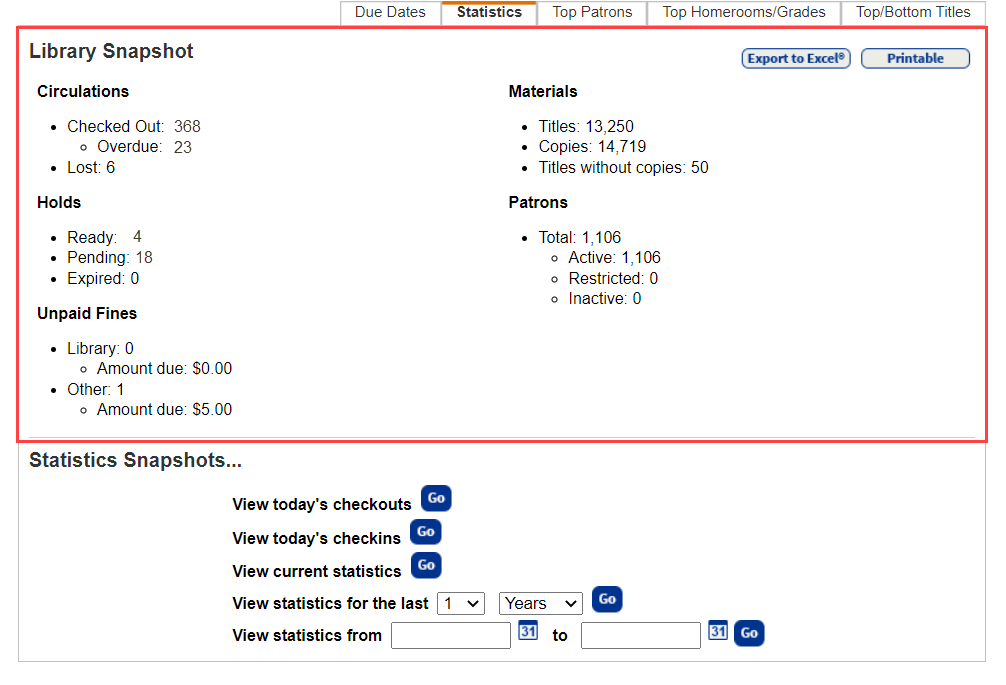
-
Under Statistics Snapshots, do any of the following:
If you want to view...
Then... A list of today's checkouts
Next to View today's checkouts, click Go.
A list of today's check-ins
Next to View today's checkins, click Go.
Current statistics for today, this month, or this year Next to View current statistics, click Go.
Statistics for a specific number of years, months, days, or hours
Next to View statistics for the last, use the drop-downs to select a number and time frame. Then click Go. Statistics for a specified date or range of dates
Next to View statistics from, enter a range of dates, or enter the same date in both fields to limit to one date. Then click Go.
- Use the buttons at the top of the page to Export to Excel® or access a Printable page.