Generate a District Current Holds and ILLs report
Use the District Current Holds and ILLs report to view holds and interlibrary loans across your district. The report includes current and expired holds for active patrons. You can specify a date range for when holds and ILLs were placed, and choose whether to include unapproved requests, local holds, and ILLs.
To generate the report, district users need the Create Reports for the District permission.
To view the report:
- From District Back Office, select Reports > Library Reports.
- Under Statistics, click District Current Holds and ILLs.
- Enter a date range.
Note: Default values for the date range are the last 90 days, with today's date as the end date.
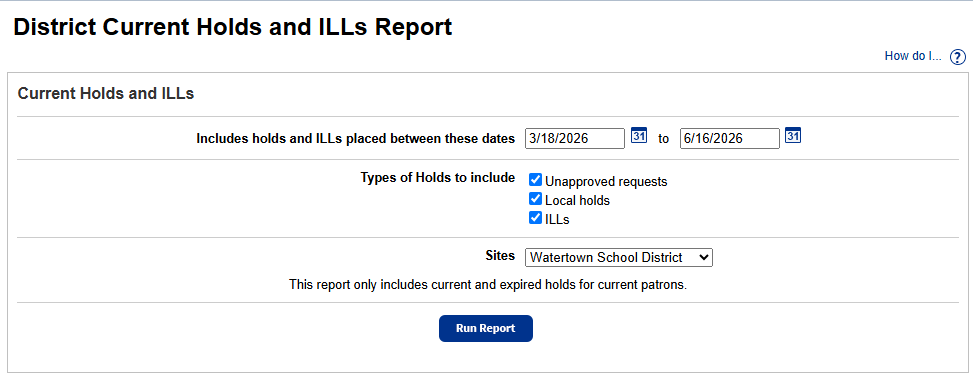
- Next to Types of Holds to include, clear any type you want to exclude.
- From the Sites drop-down, choose to run the report for the district, a site type, or a site.
- Click Run Report.
- When the Report Manager status is Completed, click View to open the report in Excel®.

The report contains the following:
- Type of hold
- Status
- Hold ID (a unique identifier for the hold/ILL)
- Patron
- Patron Site
- Homeroom
- Title
- Call Number
- Reserved Copies (quantity)
- Copy Barcode
- Date Requested
- Expiration Date
- Lending Site
- Reserve Requested
- Reserve Expires